

What Is a Metronome?
A metronome is a device or app that marks a chosen tempo with regular clicks, beeps or flashes. So what is a metronome for? Musicians use it as an outside timing reference: to hear when they rush or drag, to practice a hard passage at a speed they can control, and to work up to the tempo printed in a score.
The metronome supplies the pulse. It does not play your rhythm for you. Between two clicks you still decide where the eighth notes, rests and syncopations go, which is exactly why practicing with one is harder than it sounds.
If you want to hear one right now, open our online metronome, set 80 BPM and listen for a few bars before reading on.
Who Invented the Metronome?
Dietrich Winkel demonstrated a mechanical metronome in Amsterdam in 1814. Johann Nepomuk Maelzel added a numbered scale, developed it commercially and obtained an English patent in 1816, according to the Smithsonian's collection record. Winkel built the mechanism; Maelzel put it on the market under his name.
That is why older scores print M.M. before a number. It stands for Maelzel's metronome, and "M.M. quarter note = 100" simply means 100 quarter notes per minute. The University of Puget Sound's meter lesson explains the notation.
Beethoven was one of the first major composers to adopt metronome marks, giving players an exact rate alongside or instead of an Italian tempo word. Symphony Nova Scotia discusses his use of them.
How Does a Metronome Work?
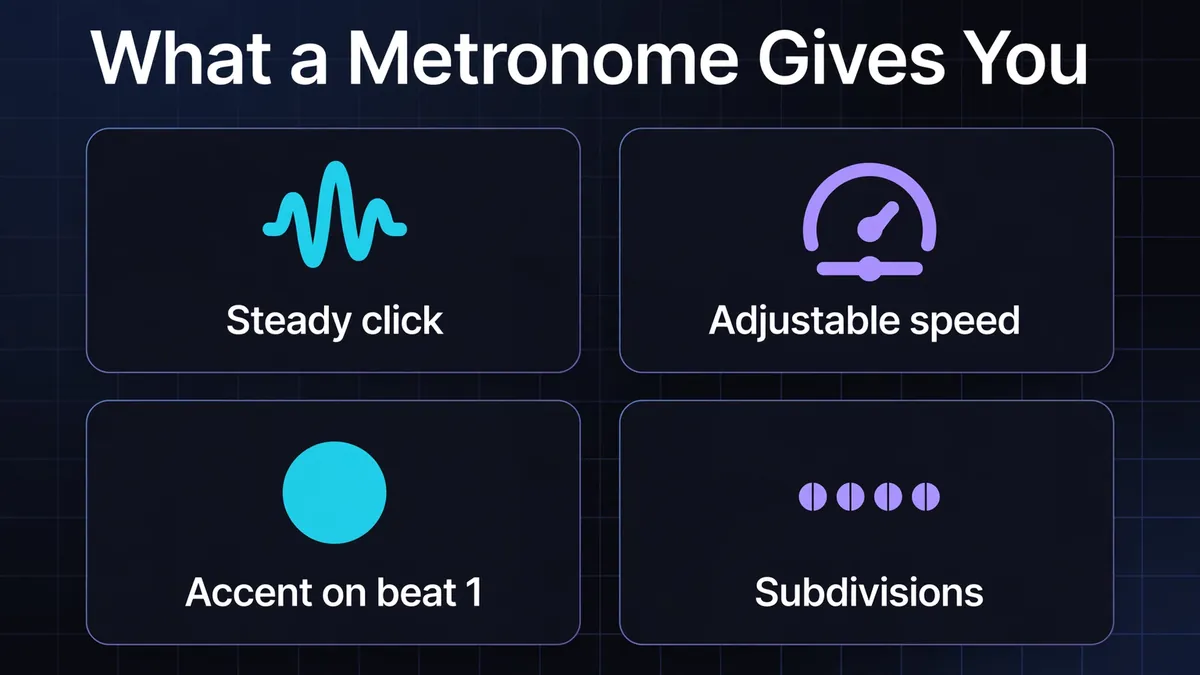
A metronome spaces events evenly at the rate you choose. With one click per beat, 60 BPM gives one click per second and 120 BPM gives two. The gap between clicks in milliseconds is 60,000 divided by the BPM. Accents mark the first beat of a bar, and subdivisions add quieter clicks between beats.
| BPM | Clicks per second | Gap between clicks |
|---|---|---|
| 40 | 0.67 (rounded) | 1,500 ms |
| 60 | 1 | 1,000 ms |
| 100 | 1.67 (rounded) | 600 ms |
| 120 | 2 | 500 ms |
| 200 | 3.33 (rounded) | 300 ms |
These values assume one click per quarter note beat. Turn on eighth note subdivision at 100 BPM and you hear 200 clicks a minute, one every 300 ms, while the tempo is still 100.
Inside, the methods differ. A mechanical metronome swings an inverted pendulum, and a sliding weight on the rod sets the rate: higher weight, slower swing. Digital units count with a quartz or electronic clock. Our browser metronome uses the Web Audio API and schedules each click slightly ahead on the audio clock, which keeps timing steadier when the page is busy than plain page timers would. Web.dev explains that scheduling approach.
What Are the Types of Metronomes?
There are three common types: mechanical pendulum metronomes, electronic digital units, and software metronomes in apps, browsers and DAWs. They all mark a steady pulse. They differ in what you can see, what you can hear, whether you can use headphones, and how much rhythm detail you can set.
| Type | Strengths | Trade offs |
|---|---|---|
| Mechanical | Visible swing, no batteries, natural sound | Needs winding and a level surface; range and accents depend on the model |
| Digital | Pocket size, often a headphone output, sometimes subdivisions or tap tempo | Features vary a lot by model; check before you buy |
| App and online | Wide tempo range, meters, subdivisions, sounds, speed training | Depends on your device and its audio output |
Mechanical models are lovely for a piano lid because you can see the beat coming. On a Wittner pyramid metronome, you line up the top edge of the sliding weight with the number you want on the scale and give the pendulum a gentle push, as Wittner's instructions describe. Put it on an uneven shelf and the tick can turn lopsided.
Digital boxes earn their place in band rooms and on music stands with a headphone jack, so a drummer can hear the click over the kit.
Software is what most people use now. Ours accepts 20 to 360 BPM in the number field, with a slider from 30 to 300. It offers seven meters (2/4, 3/4, 4/4, 5/4, 6/8, 7/8 and 12/8), four subdivision options, five click sounds, a speed trainer and a tap button for setting the tempo from a song. The accent falls on beat 1 only. In a DAW such as Ableton Live, Logic Pro, FL Studio or Pro Tools, the built in metronome follows the session tempo, including any tempo map.
How Do You Set a Metronome for Different Time Signatures?
Set the BPM to the note value your metronome counts, then pick the meter so the accent lands on each downbeat. Our metronome counts quarter notes in every meter. In x/8 meters like 6/8, it clicks each eighth note, so a dotted quarter = 60 marking needs a setting of 90 BPM.
The arithmetic: a dotted quarter holds three eighths and a quarter holds two, so multiply the dotted quarter rate by 1.5.
Worked example for 6/8 at dotted quarter = 60:
- Set 90 BPM and choose 6/8.
- The metronome clicks eighth notes at 180 per minute, one every 333 ms (rounded).
- You feel two big beats per bar, each made of three clicks.
- One bar lasts 2 seconds.
For 12/8 at dotted quarter = 72, set 108 BPM. You hear 216 eighth clicks per minute and feel four big beats per bar.
Odd meters like 5/4 and 7/8 benefit from counting aloud. In 7/8, many pieces group the eighths as 2 + 2 + 3 or 3 + 2 + 2, and since our accent only marks beat 1, you supply the inner grouping with your voice. Our time signatures guide goes deeper on beat units.
How Do You Practice With a Metronome?
Start slow enough that the passage is clean, play with the click, then raise the tempo in small steps. A typical session covers one short section, a few BPM settings, and a final run without the click to test your own pulse. The routine below works for piano, guitar, drums or voice.
- Pick two to four bars. Set a tempo where every note is controlled, and listen to two bars of clicks before playing.
- Count aloud or clap the rhythm first. If you cannot clap it, the instrument will not fix it.
- Play and listen for where you land. Notes that always arrive early on the same beat point to a specific spot, often a shift or a reach.
- Add a subdivision if the hard part is placing notes between beats.
- Raise the tempo by 2 to 4 BPM once you play it cleanly two or three times in a row. Drop back if it falls apart.
- Finish without the click and notice whether your tempo holds.
A worked plan: a guitar student wants a riff at 100 BPM but plays it cleanly at 80. Stepping by 4 BPM gives 80, 84, 88, 92, 96 and 100, six settings. The speed trainer on our metronome automates that climb so you can keep your hands on the instrument.
Once that is comfortable, try the displaced click exercise described by Yamaha. In 4/4 at 100 BPM, set the metronome to 50 and hear each click as beats 2 and 4 while you count all four. You fill in beats 1 and 3 yourself; the tempo is still 100.
A drum teacher might go further: click only on beat 1 of each bar, which at 100 BPM in 4/4 is a click every 2.4 seconds, and have the student hold the groove through the silence.
What Are Common Metronome Mistakes?
The usual mistakes are practicing too fast, setting the wrong beat unit, and never testing time without the click. Each one leaves you feeling busy without getting steadier. Most can be caught by recording yourself for thirty seconds and listening back against the click.
- Starting at the target tempo. If you stumble at 120, you are rehearsing the stumble. Back off until it is clean.
- Typing the dotted quarter number into a quarter note metronome. Dotted quarter = 60 should be 90 on ours, or the 6/8 piece runs at two thirds speed.
- Chasing the click instead of locking in. If you hear a flam between your note and the click, you are late; if the click vanishes under your note, you are right on it.
- Running it too quiet over a loud instrument. Use a sharper sound or headphones.
- Using it every minute of practice. Musical phrases breathe, and rubato passages need time away from a fixed grid.
If you need to know a song's tempo before setting the click, tap along on the tap tempo tool or check the BPM chart. For tempo words printed on a score, the tempo markings chart lists this site's rough BPM ranges; follow an explicit metronome mark when there is one, and check its note value.