
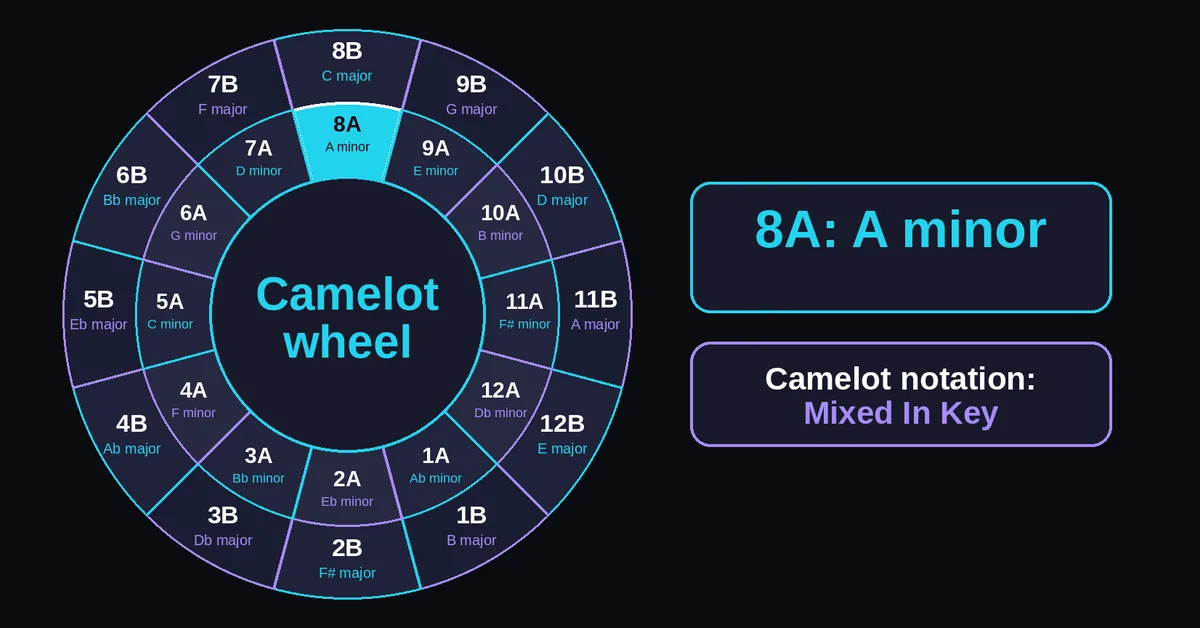
How do you use the wheel?
Choose the key you already know, either on the interactive wheel or in the key selector. The result shows its name and related codes. Use the table if you prefer a text lookup. This is a reference tool; use the linked audio analyzer when a track has no key tag.
- Select a Camelot code such as 8A, or choose A minor by name.
- Read the matching Open Key code and related keys.
- Use Play chord to hear the selected tonic chord. This is a synthesized example, not a preview of your track. Stop ends the sound.
- Compare your recordings at their intended playback tempo before choosing the transition.
Use Print chart to open your browser's print controls or Copy link to share the selected key. The shared link preserves the selection, not a track or playlist. If you need to identify a recording first, use the key and BPM finder. The separate BPM finder measures tempo only.
For set preparation, write the intended entry point beside the key tag in your own notes. A useful note is specific: "8A, bring in drums after the final vocal." That gives you something to rehearse when several candidates have equally plausible codes.
What does each Camelot code mean?
Each code combines a number from 1 to 12 with A for minor or B for major. Matching numbers pair relative keys. The chart below covers all 24 codes and their Open Key equivalents. A code identifies a key; it does not measure tempo, loudness or how energetic a track sounds.
| Number | A: minor key | B: major key | Open Key: minor / major |
|---|---|---|---|
| 1 | G♯ minor / A♭ minor | B major | 6m / 6d |
| 2 | D♯ minor / E♭ minor | F♯ major / G♭ major | 7m / 7d |
| 3 | B♭ minor / A♯ minor | D♭ major / C♯ major | 8m / 8d |
| 4 | F minor | A♭ major | 9m / 9d |
| 5 | C minor | E♭ major | 10m / 10d |
| 6 | G minor | B♭ major | 11m / 11d |
| 7 | D minor | F major | 12m / 12d |
| 8 | A minor | C major | 1m / 1d |
| 9 | E minor | G major | 2m / 2d |
| 10 | B minor | D major | 3m / 3d |
| 11 | F♯ minor | A major | 4m / 4d |
| 12 | C♯ minor / D♭ minor | E major | 5m / 5d |
The wheel adapts the circle of fifths: the inner A ring shows minor keys and the outer B ring shows major keys. Enharmonic names such as F♯ major and G♭ major share a code; this is a major/minor reference, not a catalog of modes or tuning systems.
Camelot names follow Mixed In Key's key chart. Open Key equivalents are cross checked against the Mixxx notation table.
Keep the letter attached when sorting a library. "8" alone leaves two possibilities: A minor and C major. Also distinguish the notation's letter from the musical note name. The A in 1A means minor; its tonic is G♯ or A♭, not A.
How do you convert Camelot to Open Key?
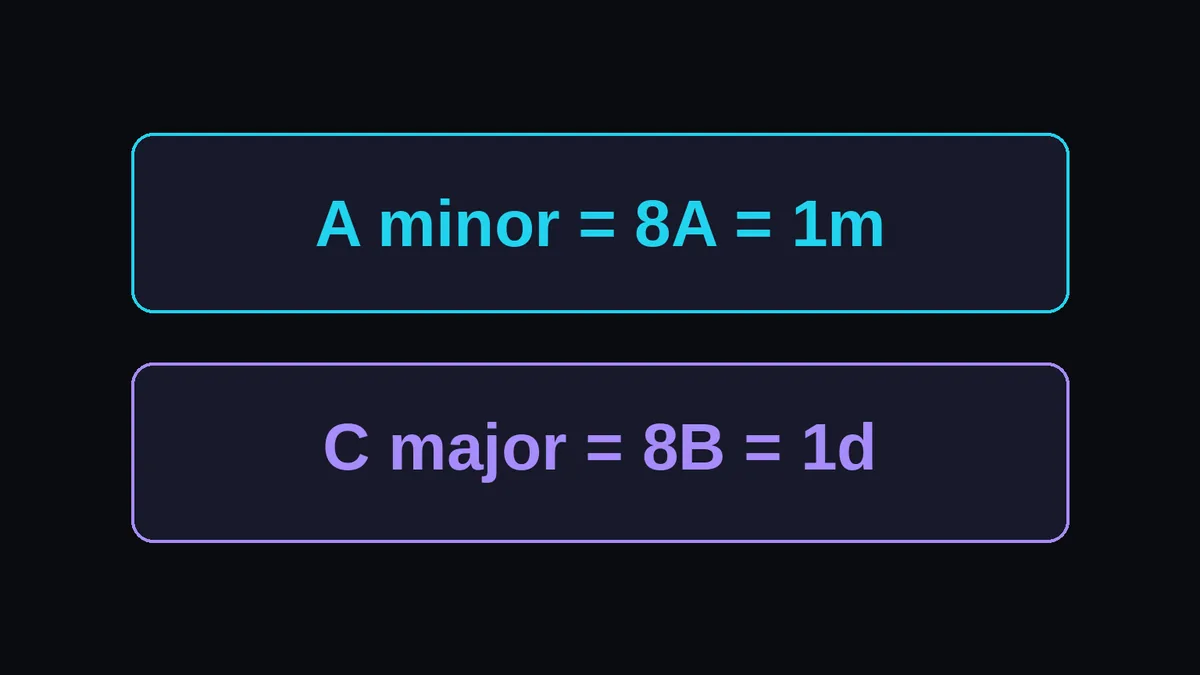
Convert the musical key, not just the letter at the end of the code. Camelot 8A and Open Key 1m both mean A minor. Camelot 8B and Open Key 1d both mean C major. Carrying the number across unchanged would select a different key in the other system.
For a numbered conversion, use Open Key number = ((Camelot number + 4) % 12) + 1, where % means the remainder after division. Change A to m or B to d. This is a lookup calculation, with the results checked against the Mixxx table above.
For 11B, calculate 11 + 4 = 15. The remainder after dividing 15 by 12 is 3; add 1 to get 4d, A major. For 7A, calculate 7 + 4 = 11; the remainder is 11, giving 12m, D minor.
If one library says 8A and another says 1m, they agree. Compare the musical names before deciding that two key analyzers disagree.
Which keys can you try after 8A?
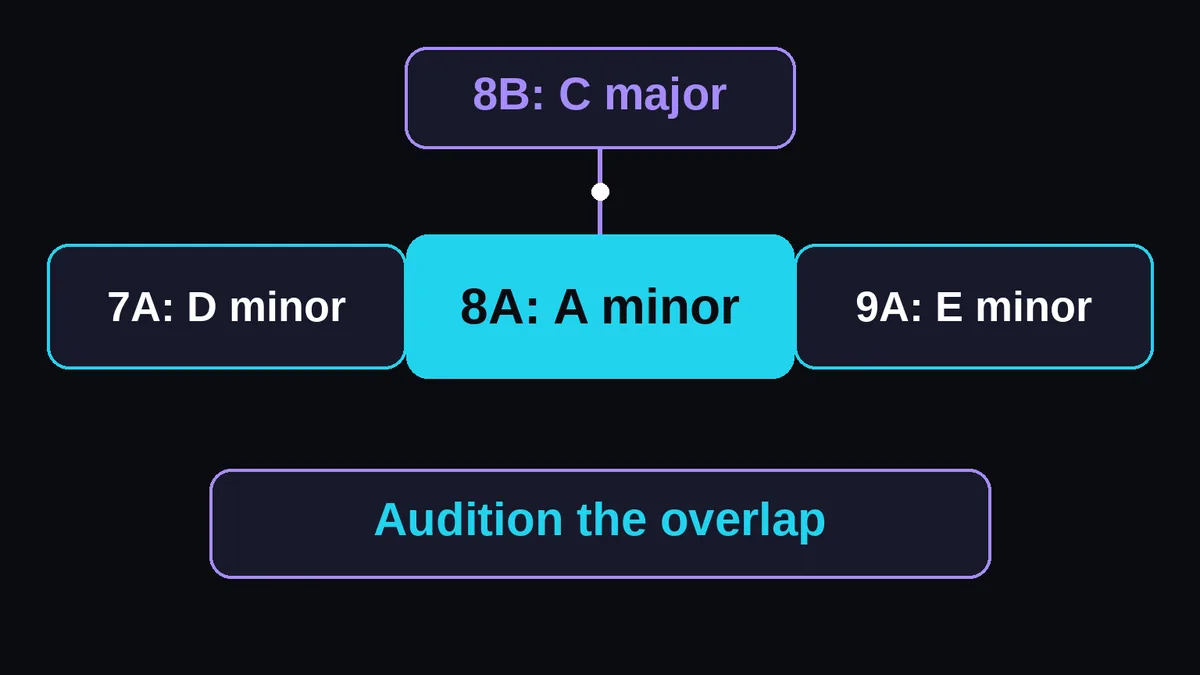
For a track tagged 8A, compare another A minor track, its relative major C major, or the neighboring minor keys D minor and E minor. These are practical candidates for harmonic overlap. The recording's actual notes and your chosen transition still matter, especially when two vocal or bass parts play together.
| Candidate | Musical key | Relationship to A minor |
|---|---|---|
| 8A | A minor | Same key |
| 8B | C major | Relative major |
| 7A | D minor | Adjacent minor key on the wheel |
| 9A | E minor | Adjacent minor key on the wheel |
For other starting keys, try the same code, the same number with the opposite letter, or one neighboring number with the same letter. Numbers wrap: 12A connects to 1A. Mixed In Key's harmonic mixing guide explains these basic relationships.
The same method works on the major ring. Starting from 6B, B♭ major, compare 6B, 5B, 7B and 6A: B♭ major, E♭ major, F major and G minor. Keep the letter when moving around a ring; change only the letter when moving to the relative key.
Here is why the 8A neighborhood is useful. A natural minor uses A, B, C, D, E, F and G. E natural minor replaces F with F♯; D natural minor replaces B with B♭. Each shares six of those seven notes with A natural minor. These examples apply Ableton's natural minor scale pattern, not a promise about every note in a recording.
Try an 8A track with a sustained F against a 9A passage containing F♯. Listen to that moment specifically. If it rubs, move the entry so those notes no longer overlap. A neighboring code helps you find candidates; it cannot remove a particular note clash.
For a practice sequence, audition 8A to 9A, then 9A to 9B. Both moves follow the basic relationships. Skipping the middle track gives 8A to 9B, which is outside that basic set. Plan each actual transition rather than assuming that the first and last keys inherit the middle track's relationship. See harmonic mixing for a broader listening workflow.
Does changing tempo change the key?
Changing playback speed changes pitch when key lock is off. A time stretching process can change tempo while preserving pitch. Check the playback mode before trusting a key tag at a new speed, since a small rate change can leave the recording between the pitches represented by named musical keys.
For ordinary speed changes, use the same beat unit for both BPM values and calculate the pitch movement with:
semitone change = 12 × log2(new BPM / original BPM)
Playing 120 BPM audio at 126 BPM gives a rate ratio of 1.05 and a rise of about 0.84 semitones. That is not an exact semitone transposition. The BPM changer distinguishes Keep pitch from Tape speed. SoundTouch's documentation describes the difference between tempo, pitch and playback rate.
For comparison, here are calculated results with key lock off:
| Original BPM | Playback BPM | Rate ratio | Pitch change, rounded |
|---|---|---|---|
| 120 | 126 | 1.05 | +0.84 semitones |
| 126 | 120 | 0.952381 | −0.84 semitones |
| 120 | 127.135571 | Approximately 1.059463 | +1.00 semitone |
The last row uses 120 × 2^(1/12). In equal temperament, one semitone corresponds to that frequency ratio, as explained in UNSW's frequency and pitch lesson. Transposing A minor up one exact semitone gives B♭ minor, 3A, rather than the neighboring 9A, E minor. Wheel distance and semitone distance answer different questions.
For two recordings originally tagged 8A, check both decks' settings if only one is accelerated. The original tags still match, but their playback pitches may differ. Audition using the key lock settings you will actually perform with; switching modes afterward changes the comparison.
Does every transition need to follow the wheel?
No. The wheel helps compare keys when pitched parts overlap, but a percussion transition can reduce that overlap, and a contrasting key can be a deliberate choice. Harmonic compatibility concerns notes; beatmatching concerns pulse alignment. Check the phrase boundary and audition the transition rather than treating a nearby code as a guarantee.
For a simple transition check, find each recording's pulse with how to find BPM, align the beats, then start the incoming track at a clear phrase boundary. A matching BPM does not align phrases automatically. The beatmatching guide covers that separate task; Mixxx's mixing manual distinguishes tempo matching from beat alignment.
If the blend sounds crowded, test one change at a time. Let the outgoing vocal finish before the incoming vocal starts. Then try handing over the bassline sooner. Finally, compare a shorter overlap. Keep the version that serves the songs, even if another candidate has a more convenient code.
Treat an apparent percussion break as a listening decision, too. If a sustained synth or pitched bass remains audible there, include it in your check. Removing the kick does not necessarily remove the tonal material. Save that cue only after hearing the passage with the incoming track.