
How Do You Convert BPM to Hz?
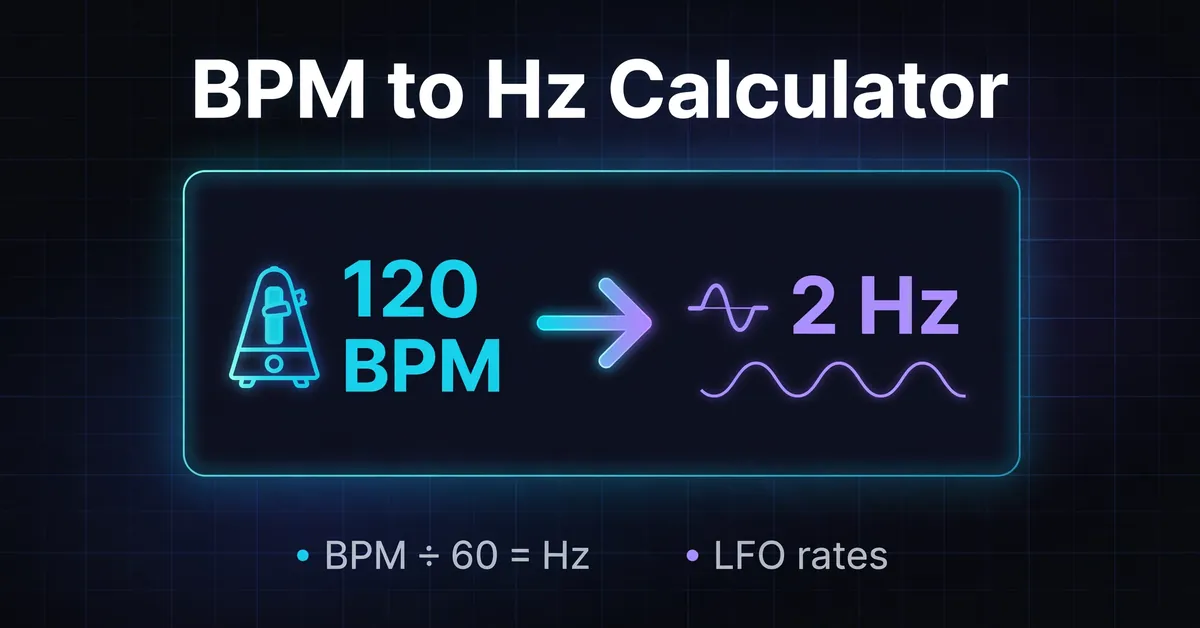
Convert BPM to Hz by dividing by 60. A tempo of 120 BPM equals 2 Hz, or two beats per second. To convert Hz to BPM, multiply by 60 when one cycle represents one beat. For an LFO, also specify which note value each cycle should span.
Formulas: Hz = BPM ÷ 60. BPM = Hz × 60, when one cycle represents one beat.
NIST defines hertz as one event or cycle per second. Dividing by 60 changes the time unit from minutes to seconds without changing the underlying pulse.
Enter your tempo in Song Tempo (BPM). The main result shows the quarter note frequency, and the note value results give other cycle lengths. Each note rate has a copy button. The separate LFO / Modulation Rate (Hz) field performs the reverse conversion, assuming one cycle per beat.
These note values assume BPM counts quarter notes. For a score marked dotted quarter = 60, enter 90 here. At 90 quarter note BPM, a quarter note cycle is 1.5 Hz, while an eighth note cycle is 3 Hz. Decide what one cycle should cover before copying a rate into an effect.
BPM to Hz Conversion Table
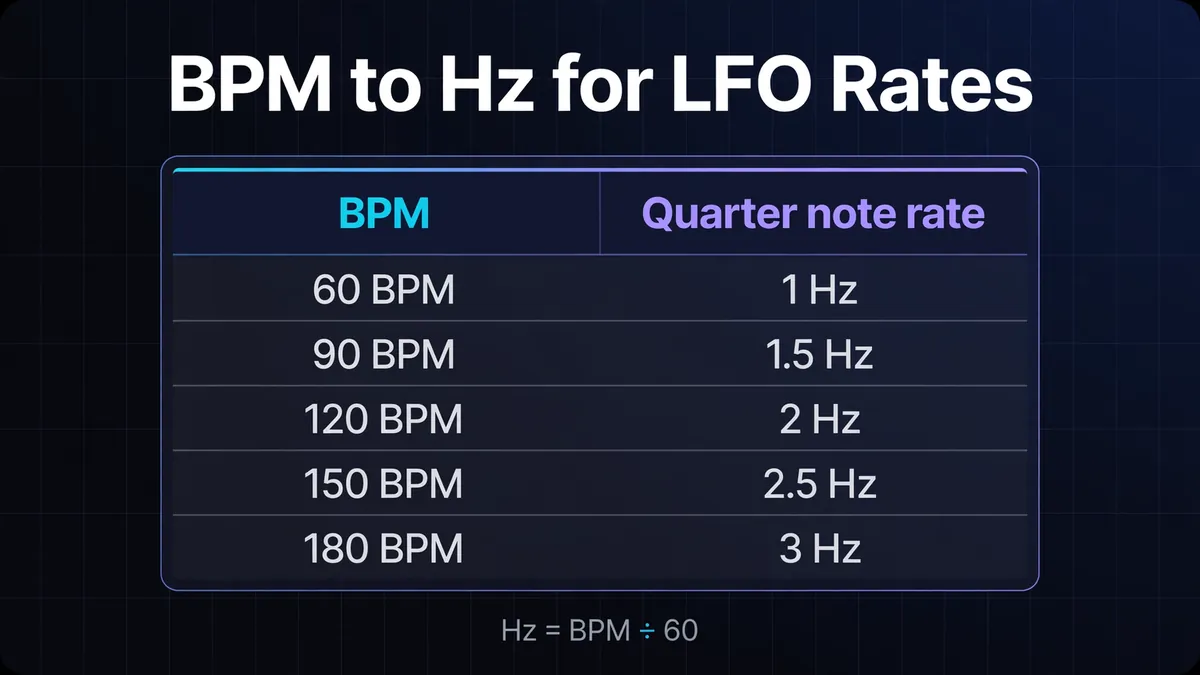
Each frequency below describes one cycle per quarter note beat. Doubling the tempo doubles the frequency; halving it halves the frequency. These are beat rates, so they tell you how often a pulse repeats rather than which musical pitch an instrument plays or where its modulation cycle starts.
Hertz values here come from quarter note BPM; a dotted quarter pulse runs at two thirds of that rate.
| BPM | Frequency |
|---|---|
| 60 | 1.00 Hz |
| 80 | 1.33 Hz |
| 90 | 1.50 Hz |
| 100 | 1.67 Hz |
| 120 | 2.00 Hz |
| 128 | 2.13 Hz |
| 140 | 2.33 Hz |
| 160 | 2.67 Hz |
The table rounds to two decimal places. The calculator displays note rates to three decimal places. For 100 BPM, the unrounded calculation is 100 ÷ 60 = 1.6666… Hz. Keep that precision during further calculations and round the final setting to what your device accepts.
Note Value Frequencies at 120 BPM
Frequency is the reciprocal of duration: Hz = 1 ÷ seconds per cycle. For a musical note value, Hz = BPM ÷ (60 × note factor), where the factor is its length relative to a quarter note. Longer notes repeat less often, so their frequencies are lower.
These note values assume BPM counts quarter notes. For a score marked dotted quarter = 60, enter 90 here.
| Note value | Note factor | Frequency |
|---|---|---|
| Whole note | 4 | 0.50 Hz |
| Half note | 2 | 1.00 Hz |
| Quarter note | 1 | 2.00 Hz |
| Eighth note | 0.5 | 4.00 Hz |
| Sixteenth note | 0.25 | 8.00 Hz |
| Dotted eighth | 0.75 | 2.67 Hz |
| Eighth triplet | 1/3 | 6.00 Hz |
Rates are rounded to two decimal places. At this tempo, a dotted eighth lasts 0.375 seconds: 60 × 0.75 ÷ 120. Its reciprocal is 2.6666… Hz. The note duration calculator gives the corresponding lengths.
A dot adds half the original duration, as explained in Puget Sound's notation guide. Divide the straight note's frequency by 1.5 to get its dotted rate. Start with the eighth note rate for a dotted eighth; multiplying the rate by 1.5 makes the cycle shorter instead.
An eighth triplet fits three cycles into one quarter note. Multiply the quarter note rate by three, giving 6 Hz here. That is different from straight eighths, which fit two cycles into the same beat.
How Do You Convert Hz Back to BPM?
Multiply Hz by 60 for a tempo where each cycle represents one beat. For another rhythmic unit, use quarter note BPM = Hz × 60 × note factor. A rate alone cannot reveal the intended tempo because several note values can repeat at the same frequency in different projects.
For example, 2.5 Hz corresponds to 150 BPM with quarter note cycles. If those cycles should be eighth notes, the calculation becomes 2.5 × 60 × 0.5 = 75 BPM. The reverse field returns 150; apply the note factor yourself for other interpretations.
These calculations assume BPM counts quarter notes. For a score marked dotted quarter = 60, use 90 quarter note BPM. If you know a cycle's duration instead of its frequency, Hz = 1,000 ÷ milliseconds. A 500 ms cycle is 2 Hz. Use the unrounded duration; MS to BPM handles the interval as a tempo conversion.
What Is Hz Used for in Music Production?
A low frequency oscillator (LFO) changes a parameter repeatedly. Use a rate in hertz for tremolo, vibrato or filter modulation when the synthesizer or effect lacks note value sync. Rate controls how often the movement repeats; depth or amount controls how far the parameter moves during that cycle.
Modulating amplitude creates tremolo; modulating pitch creates vibrato. Filter cutoff modulation changes tone. These destinations are described in Native Instruments' synthesis guide. A filter LFO at 2 Hz sweeps twice per second. It does not set the filter cutoff or the instrument's pitch to 2 Hz.
Suppose a sustained pad needs an eighth note tremolo at 128 quarter note BPM. Calculate (128 ÷ 60) × 2 = 4.2666… Hz. Enter approximately 4.267 Hz in the effect, then adjust depth while listening against the drums. For a score marked dotted quarter = 60, enter 90 before calculating note rates.
The number controls cycle length, but waveform shape affects the movement within each cycle. Keep the same rate while comparing shapes, so you can judge that change separately from speed.
What Hz Rate Spans a Whole Bar?
Divide the quarter note beat rate by the number of quarter notes in the intended cycle. At 120 quarter note BPM, one 4/4 bar spans four quarter notes, so its rate is 2 ÷ 4 = 0.5 Hz. A whole note cycle fills one bar only in meters with that duration.
For a pad whose filter should rise and fall once across two 4/4 bars, use 120 ÷ (60 × 8) = 0.25 Hz. The cycle lasts four seconds. Calculate this manually; the tool's whole note result covers four quarter notes, without a meter selector.
The table assumes BPM counts quarter notes. So a 6/8 mark of dotted quarter = 60 becomes 90, or 1.5 Hz. At that setting, a 6/8 bar contains three quarter notes, lasting two seconds.
| Meter and quarter note tempo | Quarter notes per bar | One cycle per bar |
|---|---|---|
| 4/4 at 120 BPM | 4 | 0.50 Hz |
| 3/4 at 120 BPM | 3 | About 0.67 Hz |
| 6/8 at 90 BPM | 3 | 0.50 Hz |
Read time signatures and BPM when the score's beat unit differs from the calculator's. In 6/8, a dotted quarter pulse of 60 means 60 × 1.5 = 90 quarter notes per minute, not 60 quarter notes per minute.
Why Is the LFO Off the Beat?
Matching rate does not determine where a cycle begins. Phase sets its position within the cycle, while retriggering restarts it at a defined point when triggered. A correctly timed cycle can begin halfway through its movement, so its peak may miss the beat even when the frequency is correct.
Ableton's LFO documentation distinguishes rate, phase and retrigger controls. Adjust these in the synthesizer or effect if supported. The converter calculates rates; it does not trigger or synchronize your DAW.
Rounding causes a different problem: gradual slippage. An exact eighth note rate at 128 quarter note BPM is 4.2666… Hz. Entering 4.27 Hz adds about 0.003333 cycles per second. Over 60 seconds, that accumulates to 0.2 cycles, one fifth of a cycle ahead, assuming an otherwise steady oscillator.
A fixed hertz setting also stays fixed when the project tempo changes. For eighth notes, moving from 120 to 128 quarter note BPM requires changing 4 Hz to about 4.267 Hz. Tempo sync can follow project tempo; Apple's Sampler guide explains its hertz and synchronized modes.
Which Conversion Mistakes Should You Avoid?
Check the control's unit and the intended cycle length before entering a number. Hertz measures repetition rate, milliseconds measure duration, and BPM counts beats per minute. A mathematically correct number can produce the wrong rhythm if it goes into a different control or assumes a different beat unit.
Watch for these practical errors:
- Treating the quarter note result as an eighth note rate. Eighths need twice that frequency.
- Reading 1/8D as 1/8T. Dotted eighths are longer than straight eighths; eighth triplets are shorter.
- Copying a rounded table value back through the reverse formula and expecting the original BPM exactly.
- Using a whole note result for every bar, regardless of meter.
Fractional BPM works in the formula: 127.5 ÷ 60 = 2.125 Hz. Zero BPM gives zero repetitions mathematically, but no finite repeating beat interval; negative values do not describe a forward repetition rate. Use positive values for musical cycles.
If a control asks for milliseconds, use BPM to MS or the delay calculator. If the tempo is unknown, estimate it with tap tempo before choosing the modulation's note value.