
How Do You Calculate Half Time BPM?
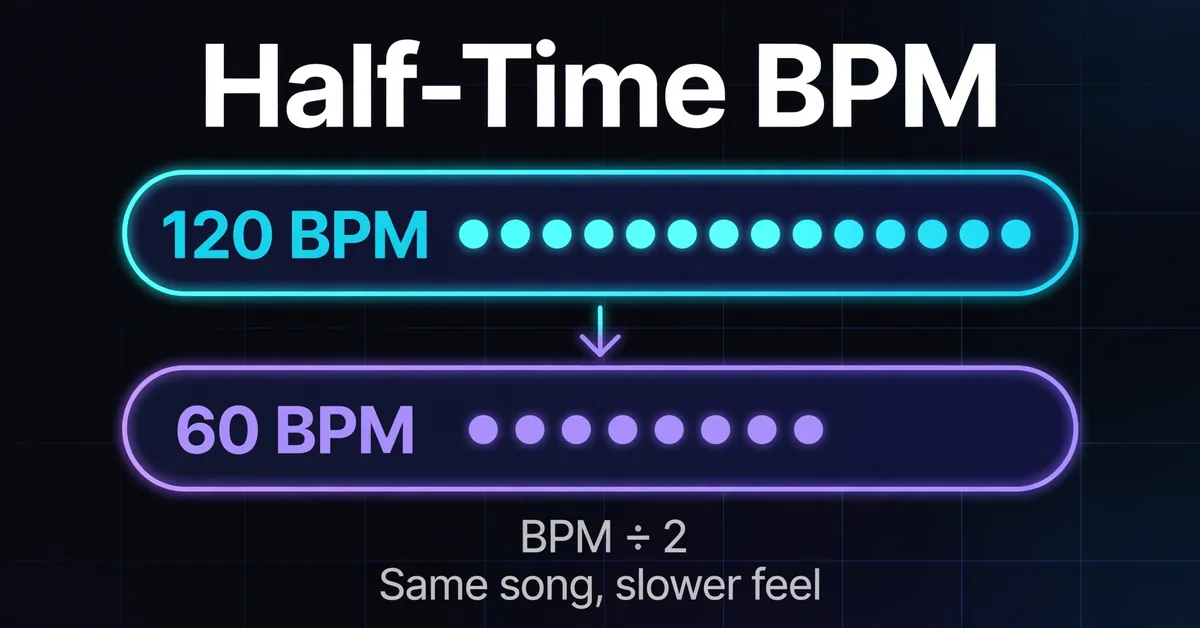
Calculate half time BPM by dividing the original tempo by two. A 140 BPM pulse becomes 70 BPM, doubling the interval between counted beats. This half time calculator shows the slower tempo and both beat lengths in milliseconds. Counting that slower pulse does not require slowing the recording or changing your project tempo.
Half time BPM = original BPM ÷ 2.
Beat interval in milliseconds = 60,000 ÷ BPM.
Enter the original BPM and compare the two intervals. At 140 BPM, a beat lasts about 428.57 ms. At 70 BPM, it lasts about 857.14 ms. Two faster beats fit into each slower beat.
These beat lengths assume BPM counts quarter notes. For a score marked dotted quarter = 60, enter 90 here.
| Original BPM | Half time BPM | Original beat, ms | Slower beat, ms |
|---|---|---|---|
| 120 | 60 | 500.00 | 1,000.00 |
| 125 | 62.5 | 480.00 | 960.00 |
| 140 | 70 | 428.57 | 857.14 |
| 175 | 87.5 | 342.86 | 685.71 |
The decimal in 125 ÷ 2 = 62.5 matters. Rounding to 63 changes the relationship: 63 × 2 is 126. Keep the fractional BPM when matching a reference. Millisecond values in the table are rounded to two decimal places; the underlying intervals remain in an exact two to one relationship.
What Is Half Time Feel?
Half time feel spaces the main backbeat at half its earlier rate while the underlying tempo can stay fixed. In one simple 4/4 example, the snare moves from beats 2 and 4 to beat 3. Hi hats can continue playing faster subdivisions around that slower backbeat.
One simple 4/4 pattern on an unchanged grid:
| Count | Beat 1 | Beat 2 | Beat 3 | Beat 4 |
|---|---|---|---|---|
| Basic backbeat | Kick | Snare | Kick | Snare |
| Half time example | Kick | Rest | Snare | Rest |
Count evenly and clap the two snare patterns. The kick and snare placements illustrate the change; they do not define every half time groove. Ghost notes, syncopation and fills can vary around the main accent. Soundbrenner explains the same backbeat shift.
At 120 BPM, beats 2 and 4 place the repeating snares 1 second apart. Moving the snare to beat 3 in each bar makes that interval 2 seconds. The quarter note click still arrives every 500 ms. A busier hat part does not undo the slower snare cycle.
Half Time Conversions by Genre
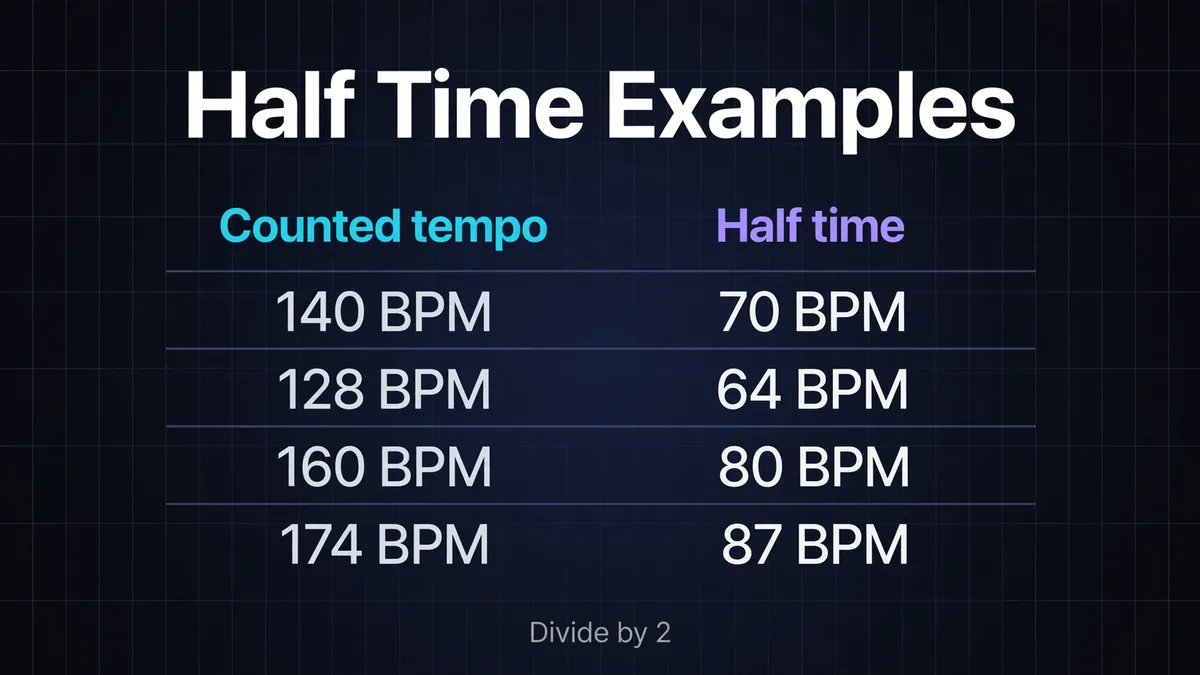
Dubstep, trap and halftime drum and bass provide useful examples of faster grids paired with slower felt pulses. Treat the ranges below as this site's rough guide rather than fixed genre rules. A genre label helps you choose a starting reference, but the recording determines which count fits the passage.
Values count quarter notes. For a score marked dotted quarter = 60, enter 90 here.
| Genre example | Faster reference | Half time pulse |
|---|---|---|
| Dubstep | About 140 BPM | 70 BPM |
| Trap | 130 to 160 BPM | 65 to 80 BPM |
| Halftime drum and bass | 170 to 175 BPM | 85 to 87.5 BPM |
The trap band is a site reference, not the genre's full span. Native Instruments gives a broader 130 to 200 BPM range. The trap, dubstep and drum and bass guides cover their individual production contexts.
For a named dubstep example, Beatport lists Skrillex's "Scary Monsters and Nice Sprites" (Original Mix) at 140 BPM, matching SongBPM's tempo listing. Halving that count gives 70 BPM. The listings establish a reported tempo, not whether a particular section has a half time drum feel.
Should You Produce at the Full Tempo or the Half Tempo?
For a new project, use the grid that makes your parts readable. Sixteenth note hi hats at 140 BPM have the same spacing as thirty second notes at 70 BPM. The faster grid can make detailed percussion easier to place; the slower reference may suit a performer's preferred click.
For example, a straight hat roll repeating every 107.14 ms can use either of those note values. Keep its actual spacing when moving between grids. A quarter note delay at 140 BPM lasts 428.57 ms; the equivalent at 70 BPM is an eighth note delay. These calculations assume quarter note BPM; dotted quarter = 60 converts to 90.
Check synced effects as well as notes. Ableton's Delay documentation distinguishes tempo synced divisions from millisecond settings. Keeping the same division while halving session tempo doubles the delay interval. Use the delay calculator to translate the setting.
Changing an existing project may alter MIDI playback and stretched audio. Ableton documents tempo dependent audio playback. Save a copy and compare the groove before committing to a different grid. For broader reference choices, read half time vs double time.
What Happens to Bars and Phrases at Half Time?
Recounting unchanged audio at half the BPM halves its bar count if both versions use 4/4. Switching to a half time drum feel on an unchanged grid leaves bar lengths intact. Establish which operation you mean before renaming sections, moving markers or sending a chart to another musician.
One 4/4 bar at 140 BPM lasts about 1.714 seconds. One at 70 BPM lasts about 3.429 seconds. The faster bar therefore occupies half a slower bar. This calculation assumes quarter note BPM; dotted quarter = 60 converts to 90.
For the same unchanged passage:
| At 140 BPM in 4/4 | At 70 BPM in 4/4 | Elapsed time |
|---|---|---|
| 4 bars | 2 bars | About 6.857 seconds |
| 16 bars | 8 bars | About 27.429 seconds |
Suppose a vocalist enters after 16 bars at 140 BPM. Relabeling the passage at 70 makes that entrance occur after 8 bars. Leaving the instruction at 16 slower bars would put the entrance twice as far into the recording.
How Can Musicians Rehearse a Half Time Section?
Keep the click at the original tempo when practicing a change of feel inside a song. Move the main backbeat without lengthening the section. A useful exercise is four bars of a basic groove followed by four bars with the snare on beat 3, all at 120 BPM.
Set the online metronome to 120 BPM in 4/4. Count every quarter note, keeping eighth note hats running through the change. A guitarist can keep the picking motion even while shifting chord accents. A bassist can try sustaining a note through beat 2 into the snare on 3.
Treat these as rehearsal experiments. Record the change and check whether the band reaches the next downbeat together.
For a separate exercise, try a 60 BPM click while continuing to count the original 120 BPM grid. Each click now spans two original beats. Start with clicks on original beats 1 and 3, and count beat 2 between them. Tell everyone which count you are using before starting.
How Can DJs Check a Half Time Beat Grid?
Check the pulse spacing and the phrase start separately when a DJ application reports half the expected BPM. A track labeled 87 BPM may support a 174 BPM reference, but doubling the number cannot confirm that the first grid marker lands on the musical downbeat. Listen across several bars.
TRAKTOR's support guide documents its /2 and x2 beatgrid controls. Those belong to the DJ application; this calculator supplies the numerical conversion.
For a mixing example, 87 × 2 = 174, whereas 88 × 2 = 176. Halving both references does not eliminate their difference. Check the spacing against the recording before attempting a transition, then line up the intended phrase entrances.
If a result seems twice the pulse you hear, compare it with the BPM finder and count through a full phrase. Why BPM detectors disagree explains the analysis problem in more detail.
Which Mistakes Cause Half Time Confusion?
The common mistake is changing more than the intended layer: slowing a session when you wanted a wider backbeat, or preserving a bar count when you wanted unchanged audio. Identify whether the job concerns accents, counting or playback speed before editing. Each calls for a different action.
Do not automatically halve a number twice. If your reference is already 70 BPM for a passage also countable at 140, entering 70 gives 35. That is valid arithmetic, but another counting level rather than a correction to 70.
The snare on beat 3 example belongs to 4/4. Use it as a listening exercise, rather than imposing that pattern on every time signature. A BPM calculation alone cannot tell you where an accent belongs.
For an actual half speed playback effect, account for duration and pitch. Without pitch compensation, half speed doubles duration and lowers pitch one octave, following Ableton's documented playback rate relationship. Pitch preserving time stretching is a separate operation; use the tempo calculator for speed and duration ratios.