
How Does Tap Tempo Calculate BPM?
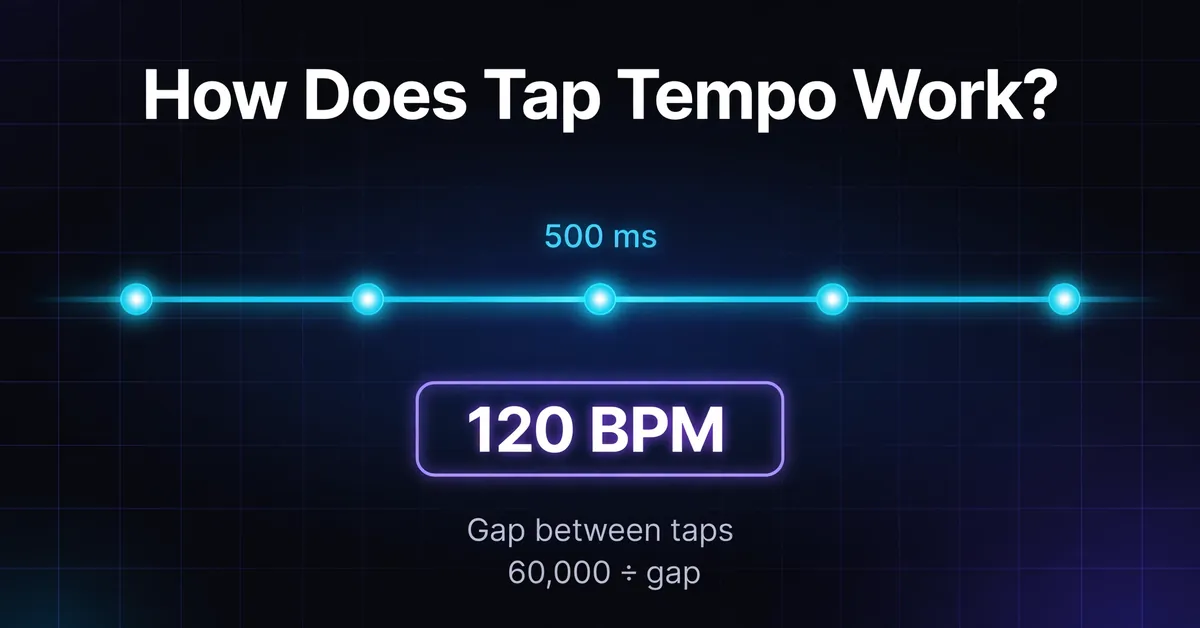
How does tap tempo work? It times your presses, measures the gap between each pair and converts the average gap into beats per minute. It never listens to the audio. It measures the pulse your hand chooses, so the result is only as good as the pulse you follow. Eight to twelve steady taps usually settle the reading.
Open the tap tempo tool while the music plays. Press the spacebar, a letter key or a number key, or click or touch the big tap button. Holding a key down counts as one press, so a sticky finger will not flood the reading. Press Esc any time you want a clean slate.
Under the hood there is nothing mysterious. The browser hands the page a timestamp in milliseconds for every press. The page keeps the last 16 timestamps, subtracts each one from the next, and works out a tempo from the most recent gaps.
The Tap Tempo Formula, Step by Step
There are 60,000 milliseconds in a minute. If your taps arrive every 500 ms, then 120 of them fit in a minute, so the tempo is 120 BPM. This is the same interval math the interval formula explained by Orchestra Central describes.
Here is a full run of five taps:
| Tap | Timestamp | Gap from previous tap |
|---|---|---|
| 1 | 0 ms | none |
| 2 | 470 ms | 470 ms |
| 3 | 942 ms | 472 ms |
| 4 | 1,410 ms | 468 ms |
| 5 | 1,880 ms | 470 ms |
Four gaps add up to 1,880 ms, so the average is 1,880 ÷ 4 = 470 ms, and 60,000 ÷ 470 = 127.66 BPM. Rounded, that is 128 BPM, a common house tempo.
The sum of the gaps always equals the time from the first tap to the last. So for a plain average, only the span and the number of gaps matter. Five taps give four gaps, nine taps give eight. Two taps already produce a number, but it rests on a single gap and can swing wildly.
| Average gap | Calculation | Tempo |
|---|---|---|
| 1,000 ms | 60,000 ÷ 1,000 | 60 BPM |
| 750 ms | 60,000 ÷ 750 | 80 BPM |
| 500 ms | 60,000 ÷ 500 | 120 BPM |
| 400 ms | 60,000 ÷ 400 | 150 BPM |
| 344.8 ms | 60,000 ÷ 344.8 | 174 BPM (approx.) |
These figures assume you tap quarter notes and that BPM counts quarter notes. Tapping a dotted quarter pulse measures that pulse instead. Taps at one dotted quarter per second read as 60, while a quarter note tool would show the same music as 90. The BPM to ms converter and ms to BPM converter run this formula in either direction.
Why Average Several Tap Intervals?
Because no hand is a clock. A single gap can be 15 or 20 ms off, and at 120 BPM a 20 ms error in one gap reads as roughly 115 or 125 BPM. Averaging spreads that error across many gaps.
There is a neat side effect of the span rule above. If one tap in the middle lands 20 ms late, the gap before it grows by 20 ms and the gap after it shrinks by 20 ms. The two errors cancel in a plain average. What really moves the result is timing error at the first and last taps of the window, divided by the number of gaps.
Take eight gaps at 120 BPM, a span of 4,000 ms. If the last tap is 10 ms late, the span becomes 4,010 ms, the average becomes 501.25 ms and the reading becomes 119.7 BPM. With only two gaps, the same 10 ms slip gives 1,010 ÷ 2 = 505 ms, which is 118.8 BPM. More gaps, smaller wobble.
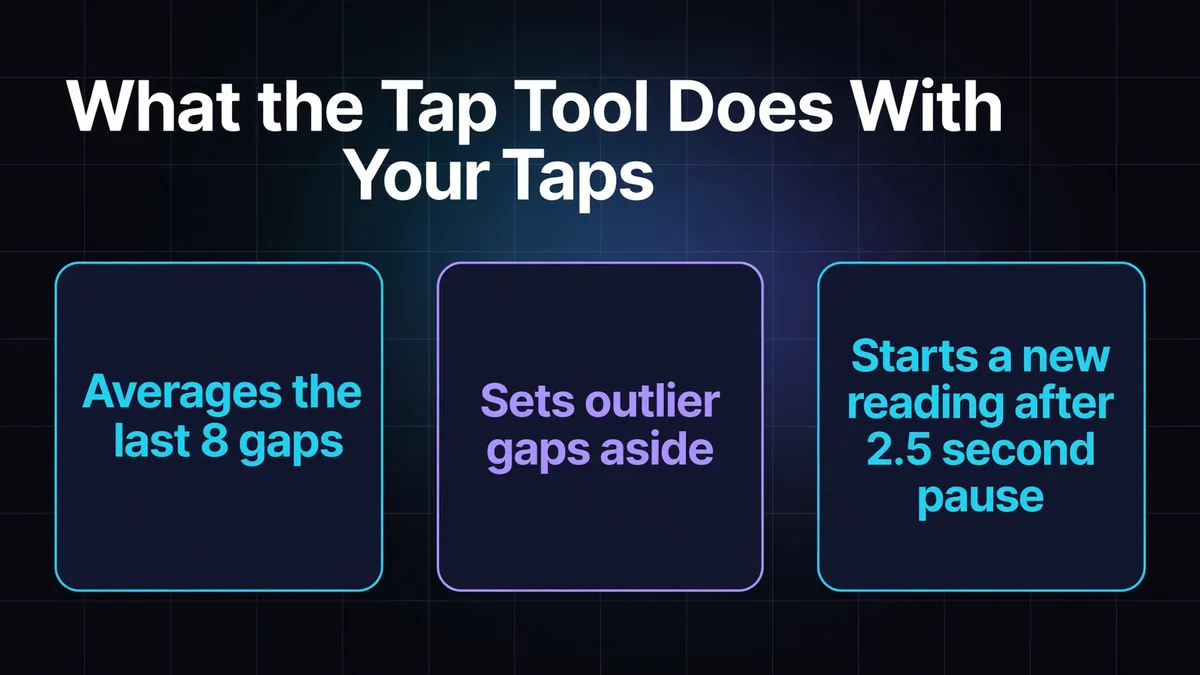
Our tap tempo algorithm averages the most recent 8 gaps. Once you pass nine taps, each new gap pushes the oldest one out. That rolling window lets the reading follow you if the band speeds up, but it also means tapping for two minutes does not make the estimate keep improving. After the window fills, consistency matters far more than duration.
What Happens When One Tap Goes Wrong?
Real taps go wrong in two ways. You miss a beat and leave a gap twice as long, or you double hit and leave two tiny gaps. The span rule cannot save you here, because the count of gaps is now wrong.
So the tool adds a filter. Once there are at least 4 gaps in the window, it calculates their mean and standard deviation, then sets aside any gap more than 1.5 standard deviations from that mean before averaging the rest. If fewer than 2 gaps would survive, it keeps them all.
Worked example. A DJ tapping a 128 BPM track produces these eight gaps: 470, 468, 472, 469, 471, 940, 470 and 468 ms. The 940 is a missed beat. The plain average is 4,228 ÷ 8 = 528.5 ms, which reads as 113.5 BPM, clearly wrong. The standard deviation of the eight gaps is about 155.5 ms, so the cutoff is about 233 ms from the mean. The 940 gap sits about 411.5 ms away and is set aside. The other seven average 3,288 ÷ 7 = 469.7 ms, which gives 127.7 BPM. Right where it should be.
The filter is a safety net, not a guarantee. If you miss two beats in a short window, the long gaps pull the mean and the deviation upward together and may both survive. When the number looks odd, press Esc and tap again rather than trusting the filter to sort it out.
What Does the Steadiness Reading Tell You?
Steadiness describes how much your gaps vary, using the standard deviation of the recent gaps in milliseconds. A small spread means your taps were evenly spaced. It says nothing about whether you picked the right pulse.
The label reads "Very Steady" when the spread is under 5 ms and moves to looser labels as the spread grows past 5 ms and then 15 ms. The small bar display under the reading is a separate visual aid. It dims any gap more than 12 percent away from the average so you can spot the slip, but that 12 percent rule is not the outlier filter described above.
If steadiness stays low after ten taps, lock to one regular sound, such as the kick.
Why Does Tap Tempo Reset After a Pause?
A pause of 2.5 seconds starts a fresh reading. Without it, the silence between two attempts would land in the average as one enormous gap and drag the tempo down.
The cost is a floor on what you can tap directly. A 2,500 ms gap equals 60,000 ÷ 2,500 = 24 BPM, so a pulse slower than that will keep restarting. Tap a faster pulse instead, such as every quarter note rather than every half note, and convert afterward with the half time BPM calculator.
For rubato or tempo changes, do not treat one reading as the whole piece. Tap the verse, reset, then tap the chorus, and compare.
Why Is the Number Right but the Tempo Wrong?
Because even, steady taps can measure the wrong level of the beat. Tapping every hi hat eighth note doubles the reading. Tapping only beats 2 and 4 halves it. Tapping the offbeats measures the right rate but can feel uncomfortable to sustain.
A trap beat is the classic case. The hats may run at 140 BPM worth of eighth notes over a snare that feels like 70. The homepage tool has half and double buttons, and the half time vs double time guide explains how to choose.
How Do Musicians Use Tap Tempo in Practice?
A guitarist learning a solo by ear taps along to the record, gets 96 BPM, then loads that into the online metronome and practices at 80 before working back up. A producer sampling a loop taps it to get close, sets the DAW tempo in Ableton Live, Logic Pro or FL Studio, then nudges by a fraction of a BPM until the loop stops drifting against the grid. A drummer taps the count before a live song so the band does not start too fast on adrenaline.
When you want a second opinion that does not depend on your hand, the BPM finder analyzes an audio file in the browser. If the two disagree, why BPM detectors disagree walks through the usual causes. For a slower, hands off method, see how to count BPM with a stopwatch.