
How Do You Calculate Reverb Time From BPM?
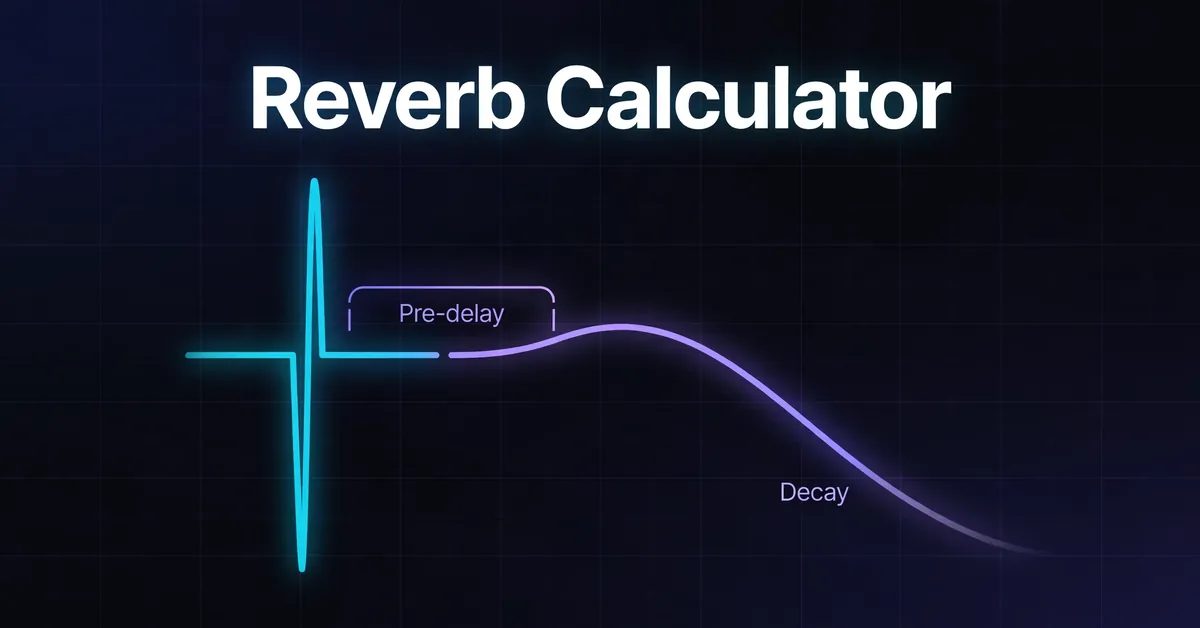
A reverb calculator converts BPM into timing references for pre delay and decay. Divide 60,000 by BPM to find a quarter note in milliseconds, then use shorter note values for pre delay and longer lengths for decay. This tool displays the full musical decay length, with pre delay added separately.
Quarter note (ms) = 60,000 ÷ BPM.
Pre delay (ms) = quarter note duration × note factor.
Decay reference (ms) = quarter note duration × quarter notes in the chosen length.
Nominal combined time (ms) = pre delay + decay reference.
These note values assume BPM counts quarter notes. For a score marked dotted quarter = 60, enter 90 here. The tool's bar labels assume 4/4.
Enter your BPM and compare the displayed references. At 100 BPM, a quarter note is 600 ms, so a 1/64 note pre delay is 600 ÷ 16 = 37.5 ms. One bar gives 600 × 4 = 2,400 ms of decay. Divide by 1,000 for a plugin expecting seconds: 2.4 seconds. These are mixing starting points, not measurements of a physical room.
What Are the Reverb Settings at 120 BPM?
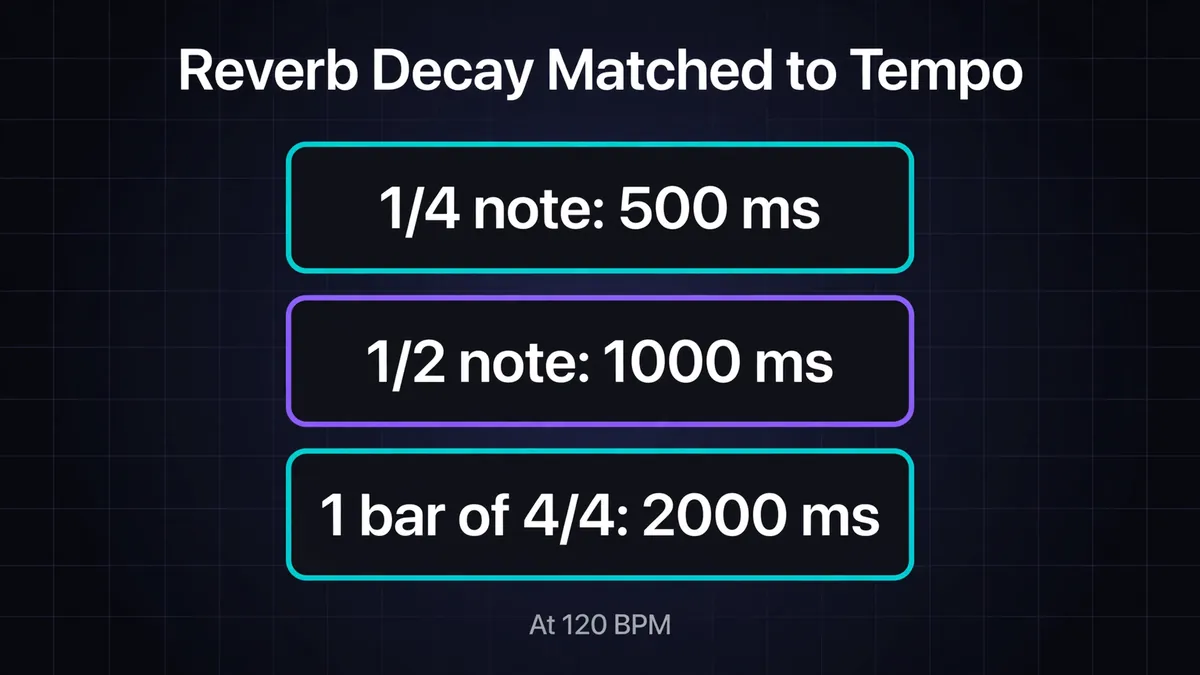
At 120 BPM, the calculator gives 31.25 ms for a 1/64 note pre delay and 2,000 ms for a one bar decay. Its shorter and longer presets scale from the same quarter note duration of 500 ms. The space labels describe timing choices rather than fixed acoustic properties.
These note values assume BPM counts quarter notes. For a score marked dotted quarter = 60, enter 90 here. Bar lengths assume 4/4; pre delay is additional.
| Timing preset | Musical length | Decay reference | Pre delay, 1/64 note |
|---|---|---|---|
| Tight room and ambience | Quarter bar | 500 ms | 31.25 ms |
| Small chamber and plate | Half bar | 1,000 ms | 31.25 ms |
| Medium hall | One bar | 2,000 ms | 31.25 ms |
| Large concert hall | Two bars | 4,000 ms | 31.25 ms |
| Cathedral | Four bars | 8,000 ms | 31.25 ms |
These values are exact. One bar gives 2,000 ms, or 2 seconds. With 31.25 ms pre delay, the nominal combined time is 2,031.25 ms.
Some reverb time calculators subtract pre delay from a chosen total instead. For a 2,000 ms total and 31.25 ms pre delay, that convention gives 1,968.75 ms decay. Our tool retains the full 2,000 ms as decay. Check the convention before transferring settings between calculators.
What Does Reverb Pre Delay Do?
Reverb pre delay separates the dry attack from the reverberant sound. Some processors control early reflections separately from the delayed tail, so check which component the setting affects. Longer pre delay can preserve a sense of closeness; reverb level, reflections and tone also shape perceived distance. Waves explains these components.
The tool lists four pre delay references. These note values assume BPM counts quarter notes. For a score marked dotted quarter = 60, enter 90 here. Values below are at 120 BPM, rounded where needed.
| Reference | Multiply quarter note by | Pre delay |
|---|---|---|
| 1/128 note | 0.03125 | 15.63 ms |
| 1/64 note | 0.0625 | 31.25 ms |
| 1/32 note | 0.125 | 62.5 ms |
| 1/16 note | 0.25 | 125 ms |
Compare adjacent values with decay and wet level unchanged. Apple's Space Designer guidance warns that excessive pre delay can become an audible echo. There is no universal boundary: the source's attack matters.
How Do You Choose Decay for Vocals and Drums?
Choose a decay reference by listening to the gap before the next important word or hit. Start with a shorter preset when phrases are crowded, then compare a longer tail where the arrangement leaves space. The useful length depends on the performance, so treat these examples as listening exercises.
For a vocal at 120 BPM, begin with 31.25 ms pre delay and a half bar decay of 1,000 ms. If the next phrase starts only 500 ms after a word ends, that decay reference is twice the available gap. Compare the quarter bar setting of 500 ms, then lower the send if the tail still masks the lyric.
At 80 BPM, a sparse ballad gives different choices: 60,000 ÷ 80 = 750 ms per quarter note. A 1/64 note pre delay is 46.875 ms, and half a 4/4 bar gives 1,500 ms decay. Compare a one bar reference of 3,000 ms through the next line.
For a snare exercise at 150 BPM, quarter notes last 400 ms. Snare hits on beats 2 and 4 are 800 ms apart. Compare 400 ms and 800 ms decay references, keeping a 25 ms pre delay. The shorter setting may leave more separation; neither setting guarantees an empty gap.
All these examples assume BPM counts quarter notes. For a dotted quarter mark of 60, enter 90.
Why Does the Tail Continue Past the Calculated Time?
A decay reference does not specify a hard stop. RT60 describes the time reverberant sound takes to fall by 60 decibels. The source keeps feeding the effect while it plays, and frequency dependent decay can make parts of the tail linger differently. A bar length alone cannot predict the audible endpoint.
Ableton Live's Reverb documentation defines its Decay control using that 60 dB drop and describes separate decay shaping for high and low frequencies. Two patches with the same displayed decay can therefore sound different.
Test with an isolated hit, then the actual phrase. A sustained chord continuously excites the reverb: listen from its release when judging the remaining tail.
If a transition needs silence at an exact boundary, use volume automation or a gate after the reverb in your DAW. Those controls determine an abrupt ending.
What Changes With Tempo or Time Signature?
Changing BPM changes every calculated duration, while changing meter changes how many quarter notes fit in a bar. This calculator's bar presets remain based on 4/4. For another meter, calculate the actual bar length before using it as a decay target, and keep the BPM beat unit consistent.
At 120 BPM, a 3/4 bar is 500 × 3 = 1,500 ms. The tool's one bar preset still represents four quarter notes, or 2,000 ms. Use the note duration calculator for other note lengths rather than treating every bar as four beats.
In 6/8, a bar contains six eighth notes, equivalent in duration to three quarter notes. Open Music Theory explains the dotted quarter pulse. With dotted quarter = 60, enter 90 quarter notes per minute: each quarter lasts about 666.67 ms, and the 6/8 bar lasts exactly 2,000 ms. The 4/4 one bar preset at that input is about 2,666.67 ms.
A tempo change from 100 to 120 BPM shortens a 4/4 bar from 2,400 to 2,000 ms. Recalculate fixed millisecond settings for each section as needed. If tempo is uncertain, use tap tempo on a steady passage; one reading cannot describe a performance that changes speed throughout.
Which Reverb Timing Mistakes Should You Check?
Check units, beat counting and routing before replacing a setting that seems wrong. A correct millisecond value can still be entered into the wrong control, based on a different pulse, or applied twice. Use this checklist when the numbers look sensible but the result does not match your intention.
- Confusing seconds and milliseconds: 31.25 ms is 0.03125 seconds. A decay field expecting seconds needs 2 for 2,000 ms.
- Counting half as fast: entering 60 instead of 120 doubles every duration. Check the half time versus double time guide if two tempo readings disagree.
- Adding the same offset twice: an external delay before the reverb plus its internal pre delay creates a combined offset. Check both controls.
- Expecting rhythmic repeats: use the delay calculator for distinct echoes. Reverb decay describes a fading tail.
For a direct conversion without reverb presets, use BPM to MS. Compare project tempos with the BPM chart.
What Is the Abbey Road Reverb Filter Trick?
It uses EQ to narrow the frequencies feeding a reverb. Bobby Owsinski describes an instrument reverb curve with a high pass around 600 Hz and a low pass around 10 kHz, placing the EQ before the reverb on the effects path. Treat both cutoffs as adjustable starting points.
Keep the dry signal outside that filtered path. Filtering before reverb changes what excites the effect; filtering afterward shapes its output. A 600 Hz high pass may remove more body than a particular source needs. Choose cutoffs with the full arrangement playing.
If the problem is low frequency buildup, increasing pre delay will not remove it. Adjust the effect's filtering or level; shorten decay when overlapping tails are the issue.