
How Do You Use the Online Metronome?
An online metronome plays a steady click at a tempo you set in beats per minute. Enter the BPM, choose a time signature and press start. Use this free metronome for guitar, piano, drums or voice, with subdivisions, five sounds, a tap button and a speed trainer. No download or signup is required.
- Enter 20 to 360 BPM, or use the slider from 30 to 300. Tap the metronome's tap button to set a starting tempo by ear.
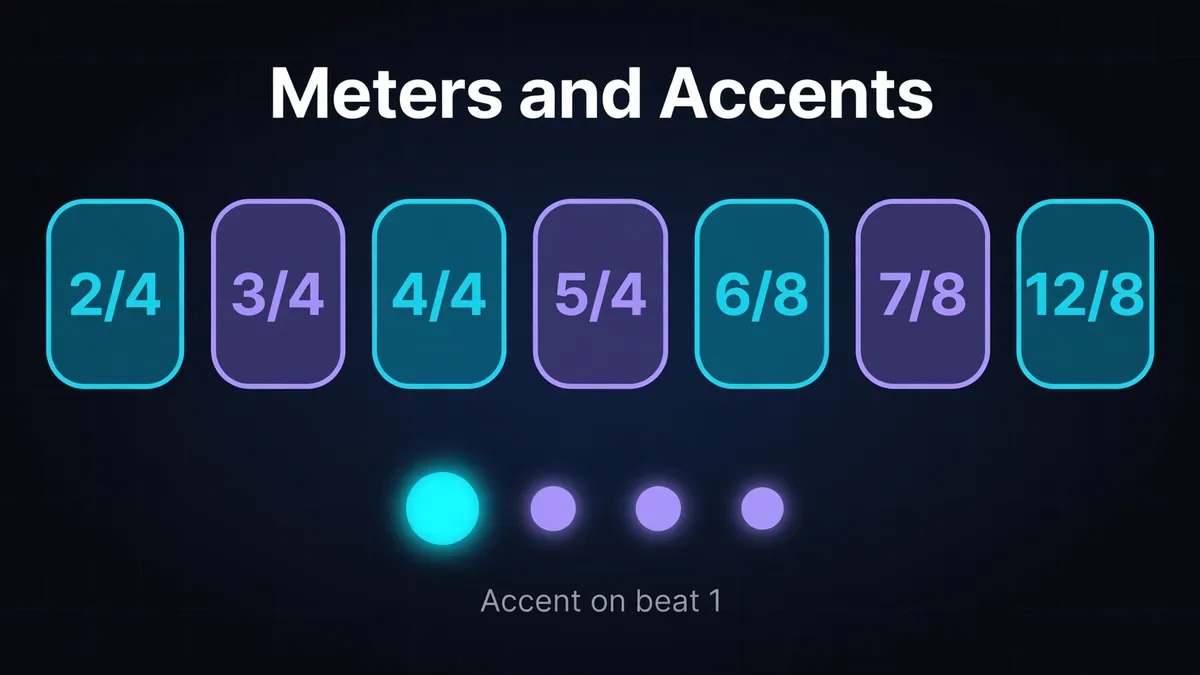
- Choose 2/4, 3/4, 4/4, 5/4, 6/8, 7/8 or 12/8. Only the first beat or eighth note of each bar receives an accent.
- Pick digital, woodblock, cowbell, rimshot or mechanical sound. Choose one you can hear over your instrument.
- Select one of four subdivision settings, then press start. Leave the speed trainer off when you want a fixed tempo.
How Does This Metronome Schedule Its Clicks?
The metronome schedules clicks ahead using the Web Audio API's audio clock. This reduces dependence on individual page callbacks, which can arrive late when the browser is busy. Listen to the audio as your timing reference; a moving display is a visual aid rather than a separate clock.
Google's audio scheduling explanation describes this approach. If you hear no click, press start directly and check the device volume and output. Browsers can require user interaction before allowing audio, as MDN's Web Audio guidance explains.
BPM and Time Signature: What Is the Difference?
BPM sets the pulse rate; time signature describes how note values group into bars. This tool always uses quarter note BPM. In 4/4, the base click sounds four quarter notes per bar; in 3/4, it sounds three. Changing the meter changes the bar grouping without changing the quarter note duration.
At 120 BPM, a quarter note lasts 60 ÷ 120 = 0.5 seconds. A 4/4 bar lasts 4 × 0.5 = 2 seconds; a 3/4 bar lasts 3 × 0.5 = 1.5 seconds.
Reading a 6/8 metronome mark
In 6/8, 7/8 and 12/8, this tool clicks every eighth note while its BPM field still counts quarter notes. A score's dotted quarter mark needs conversion:
A score showing dotted quarter = 60 goes in as 90. Each eighth lasts one third of a second, so six eighths fill a 2 second bar. Feel the two main pulses on clicks 1 and 4; only 1 receives an accent. Musictheory.net distinguishes compound duple 6/8 from simple triple 3/4. The Open University explains the three eighths within each dotted quarter.
For 7/8, count seven eighth clicks before the accent returns. Follow the score's internal grouping yourself; the tool accents only the bar's first click. See our time signatures and BPM guide for more.
What Are Subdivisions and When Do You Use Them?
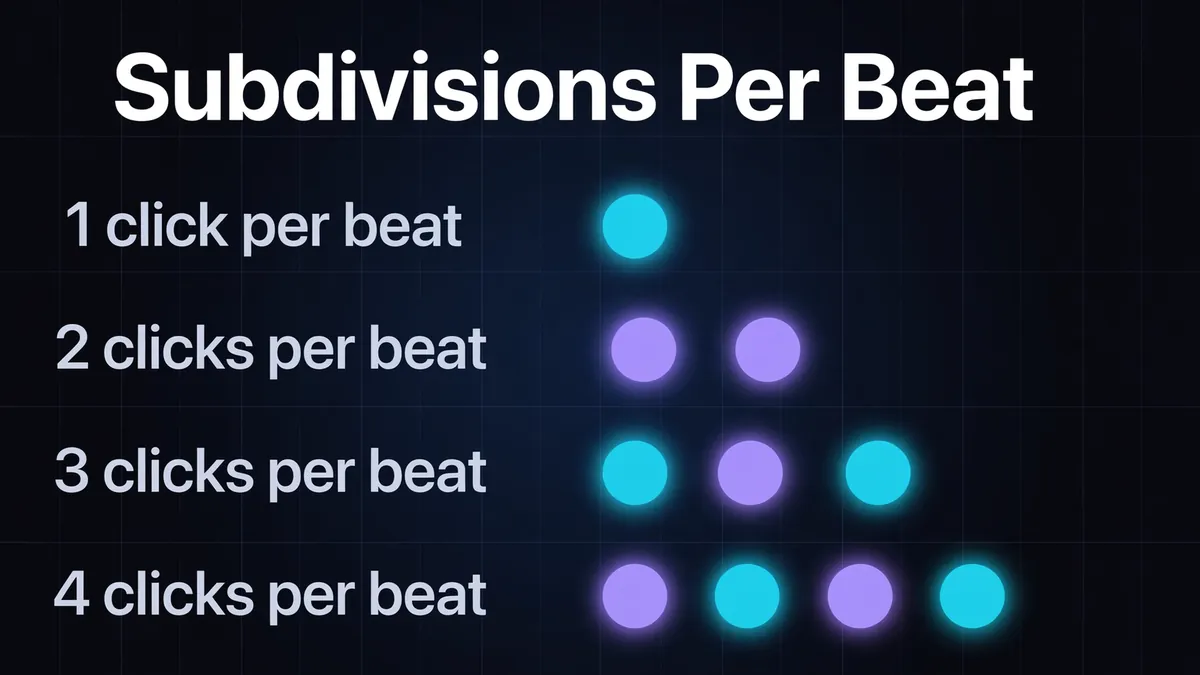
Subdivisions make the spaces between beats audible. In a meter ending in /4, choose the base quarter note click, two eighths, three eighth note triplets or four sixteenths per beat. Use the finer clicks to locate a difficult rhythm, then remove that support and check whether your spacing holds.
This table assumes BPM counts quarter notes and the meter ends in /4. For x/8 meters, multiply a dotted quarter mark by 1.5 before typing it in.
| Setting | Clicks per quarter note | Interval at 120 BPM |
|---|---|---|
| 1/4 | 1 | 500 ms |
| 1/8 | 2 | 250 ms |
| 3-let | 3 | About 166.67 ms |
| 1/16 | 4 | 125 ms |
These come from 60,000 ÷ 120 = 500 ms, divided by the click count. Use BPM to MS for other tempos and note values.
The labels need care in /8 meters: settings divide each base eighth click into 1, 2, 3 or 4 parts. Start with 1/4 for the six eighth clicks in 6/8. Selecting 3-let there adds three clicks per eighth; it does not create the two dotted quarter pulses.
Tempo Markings and Their BPM Ranges
A tempo marking describes speed or character in words; a numerical metronome mark specifies a rate for a particular note value. Use a word such as Andante to orient your setting, then read any accompanying number and note symbol before entering the BPM. Your practice tempo can be slower.
Other references set these word ranges a little differently.
| Marking | Site reference BPM | Meaning |
|---|---|---|
| Adagio | 66 to 76 | Slow, at ease |
| Andante | 76 to 108 | Walking pace |
| Allegro | 120 to 156 | Fast and bright |
These bands are site conventions. Use the tempo markings guide for the full reference and source comparisons.
How Do You Practice With a Metronome?
Choose a short passage and a tempo where you can place every note and rest evenly. Repeat it while listening to the transition back to the first click. If one movement repeatedly disrupts the pulse, isolate that movement and its approach before attempting the complete passage at a higher speed.
Guitar and bass
Suppose you can strum a chord comfortably but pause during the next chord change. Try two bars of 4/4 at 60 BPM: one chord per bar, with a downstroke on every beat. Each bar lasts 4 seconds. Prepare the change during beat 4 without shortening that beat, then land the next chord on the accent.
For picking or plucking, keep the motion even through the difficult movement. Add eighth subdivisions for offbeat strums, then return to the base click. If the change still interrupts the pulse, practice just beat 4 into beat 1.
Piano
Practice each hand separately, then combine them at a speed both can sustain. Listen for a melody rushing ahead of the accompaniment. Keep rests measured: a silent beat still takes its full duration. Lower the tempo when combining the hands changes the rhythm.
Drums
Try three bars of a groove followed by one bar containing a fill. At 80 BPM in 4/4, each quarter lasts 0.75 seconds and each bar lasts 3 seconds. The four bar cycle lasts 12 seconds. Listen for whether the next accented click meets your return to the groove. If the groove stayed steady, an early return suggests a rushed fill; a late return suggests a dragged fill.
Vocals
Speak the lyric rhythm against the click before adding pitches. Keep held notes and rests in time so the next phrase begins in the intended place. If an entrance follows a long rest, count through the silence rather than waiting to guess the entrance.
How Does the Speed Trainer Build Tempo?
The speed trainer adds a chosen number of BPM after a chosen number of bars, up to its 320 BPM ceiling. Choose the increment and bar interval to fit your passage. An optional exercise is to add 2 BPM every 8 bars, starting at a speed you can sustain evenly.
For a start at 80 BPM:
| Bars | Tempo |
|---|---|
| 1 to 8 | 80 BPM |
| 9 to 16 | 82 BPM |
| 17 to 24 | 84 BPM |
| 25 to 32 | 86 BPM |
Eight bars of 4/4 contain 32 quarter notes. At 80 BPM, that first block takes 32 × 60 ÷ 80 = 24 seconds. Later blocks take less time as BPM rises, so a bar interval is not a fixed duration timer.
Stop and lower the tempo if accuracy deteriorates. Manual entry reaches 360 BPM; the slider reaches 300 BPM. Neither limit changes the trainer's 320 BPM ceiling.
Which Practice Mistakes Should You Listen For?
Listen for shortened rests, rushed transitions and phrases that restart in the wrong place. A click can reveal these errors, but simply keeping it running does not identify which movement needs work. Compare the notes immediately before and after the point where your playing separates from the pulse.
* Restarting after every slip can hide a difficult transition. Loop the approach into that transition so you practice arriving there in time.
* Treating every click as a note to play removes rests and syncopation. Let the click continue while your part stays silent or lands between beats.
Repeat the passage without the click, then restart at the same BPM. Check whether your speed changed. Stop and restart manually for this comparison.
Metronome or DAW Click Track?
Use this metronome for scales, warmups and rehearsal. Use your DAW's click when recording against a project grid, especially if it contains programmed tempo changes, as in Ableton Live. Matching BPM in separate tools sets their rates; it does not automatically align bar starts or synchronize their transport.
Need a recording's tempo first? Estimate it with the BPM finder or tap tempo, then check it against a steady passage. If the click feels twice as fast or slow, check which pulse you followed before choosing your practice setting.